# Click Funnel

UTM Simple  
How to collect and track UTM variables via Click Funnels

# Tracking UTMs in Click Funnel

#### Add custom parameters to your optin form in Click Funnel

Make sure you are not calling them as utm\_\* as they conflict with Click Funnel's internal UTM tracking system. We recommend adding parameters like this...

```
handl_utm_campaign
handl_utm_source
handl_utm_medium
handl_utm_term
handl_utm_content

```

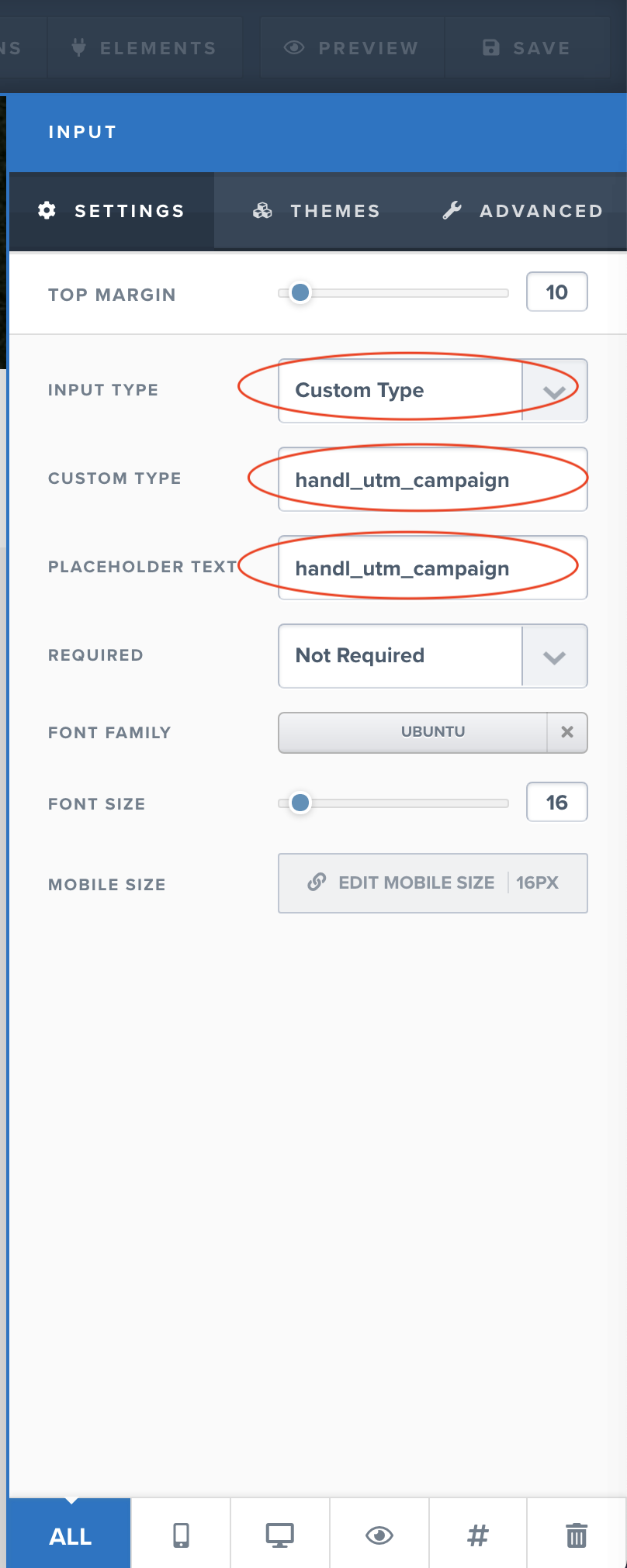
#### Make sure the new fields type is "Custom Type"

Fill out each custom paramter as shown below

[![](https://docs.utmsimple.com/uploads/images/gallery/2021-12/scaled-1680-/image-1639264349421.png)](https://docs.utmsimple.com/uploads/images/gallery/2021-12/image-1639264349421.png)
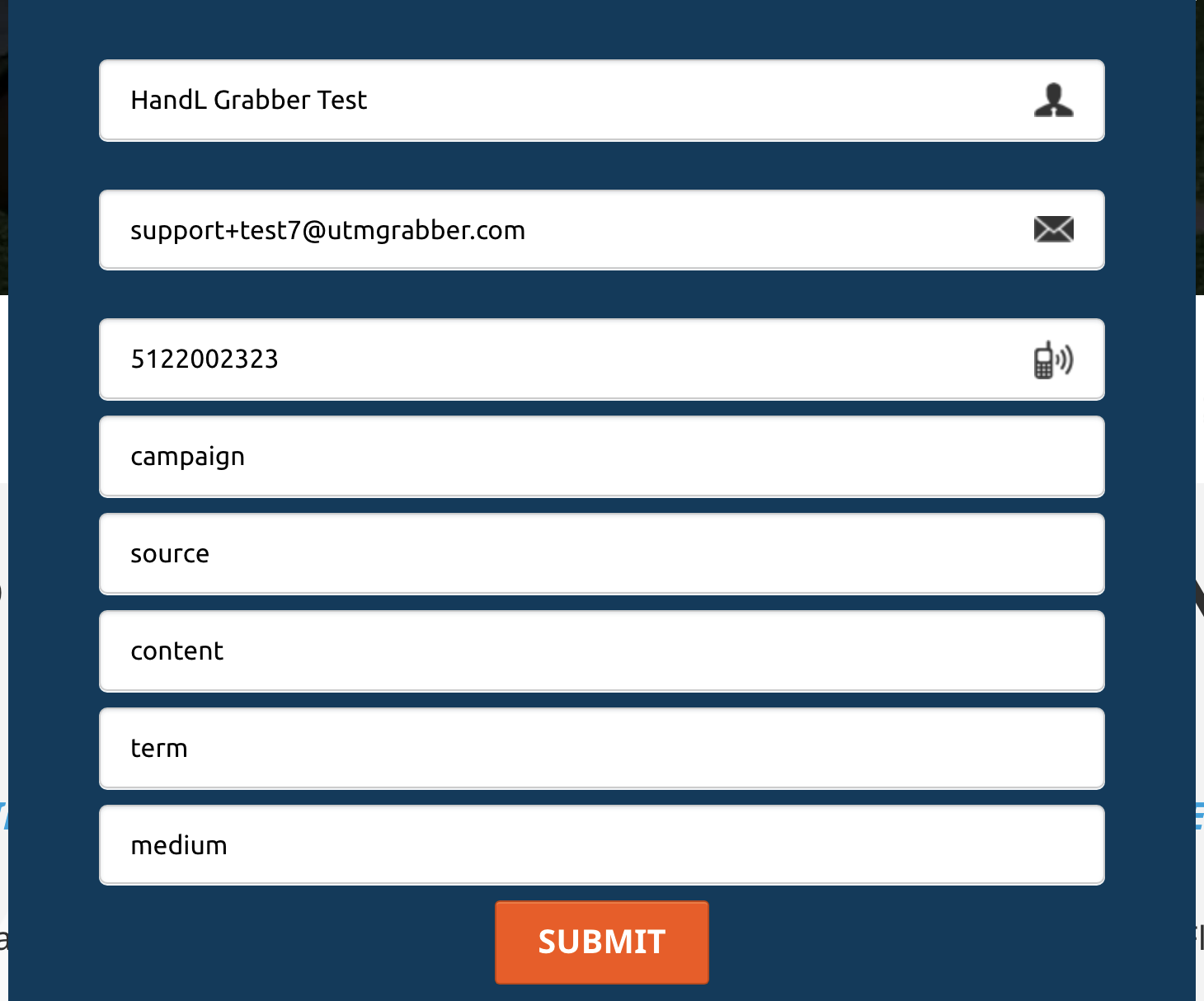
#### Add the custom parameters to your form

[![](https://docs.utmsimple.com/uploads/images/gallery/2021-12/scaled-1680-/image-1639264449397.png)](https://docs.utmsimple.com/uploads/images/gallery/2021-12/image-1639264449397.png)
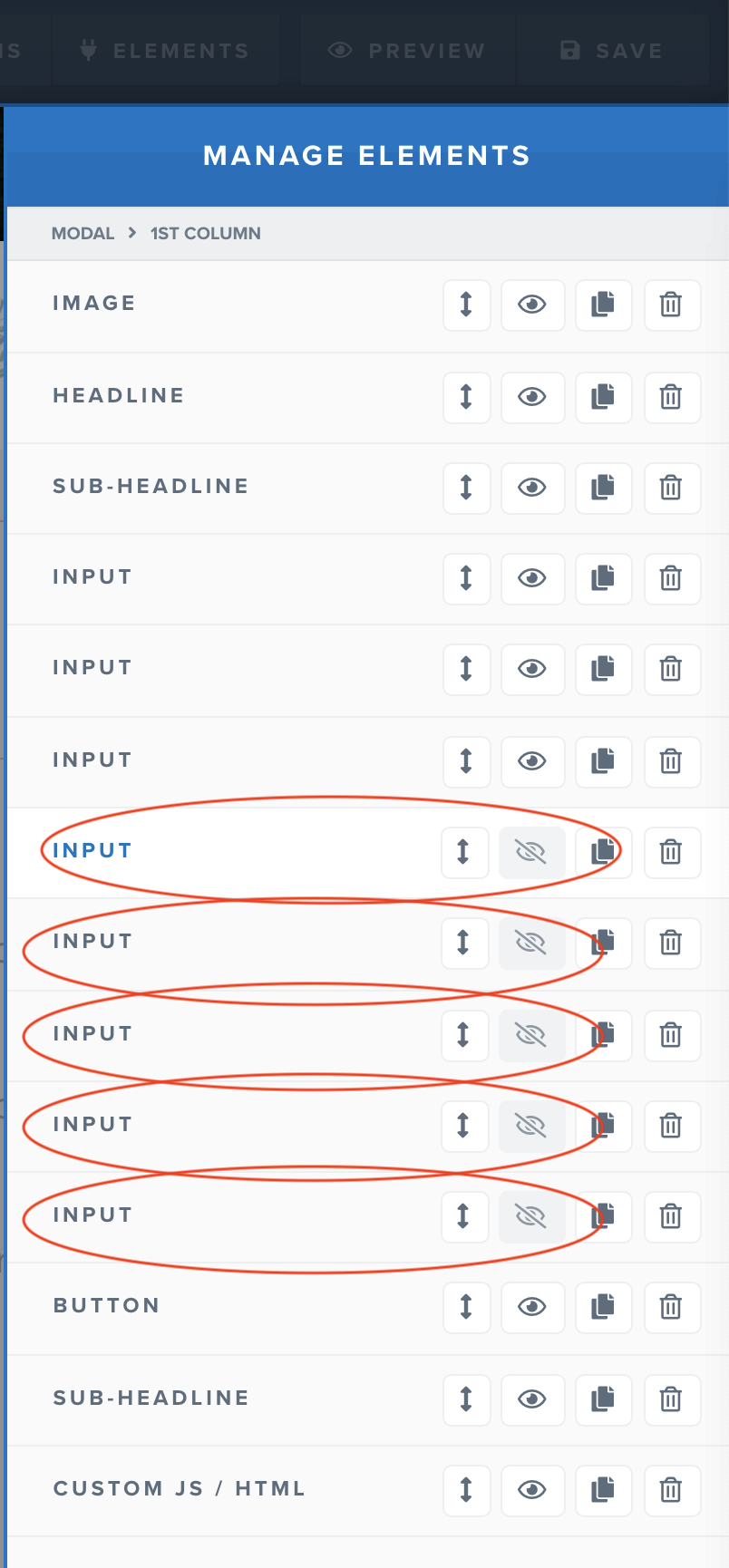
#### Hide all the custom parameters under Elements &gt; Manage Elements

[![](https://docs.utmsimple.com/uploads/images/gallery/2021-12/scaled-1680-/image-1639264553336.png)](https://docs.utmsimple.com/uploads/images/gallery/2021-12/image-1639264553336.png)

#### Copy/Paste your UTM Simple script as custom JS element in Click Funnel

[![](https://docs.utmsimple.com/uploads/images/gallery/2021-12/scaled-1680-/image-1639264735102.png)](https://docs.utmsimple.com/uploads/images/gallery/2021-12/image-1639264735102.png)
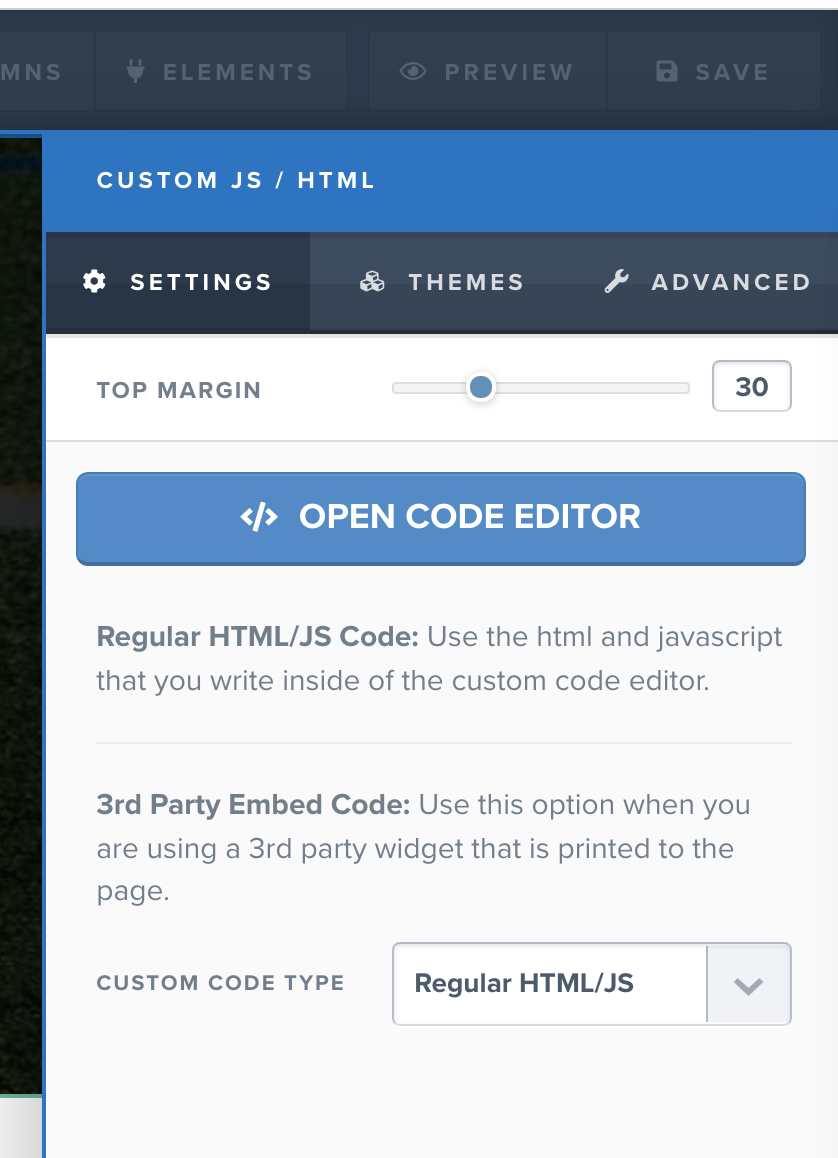
[![](https://docs.utmsimple.com/uploads/images/gallery/2021-12/scaled-1680-/image-1639264791026.png)](https://docs.utmsimple.com/uploads/images/gallery/2021-12/image-1639264791026.png)
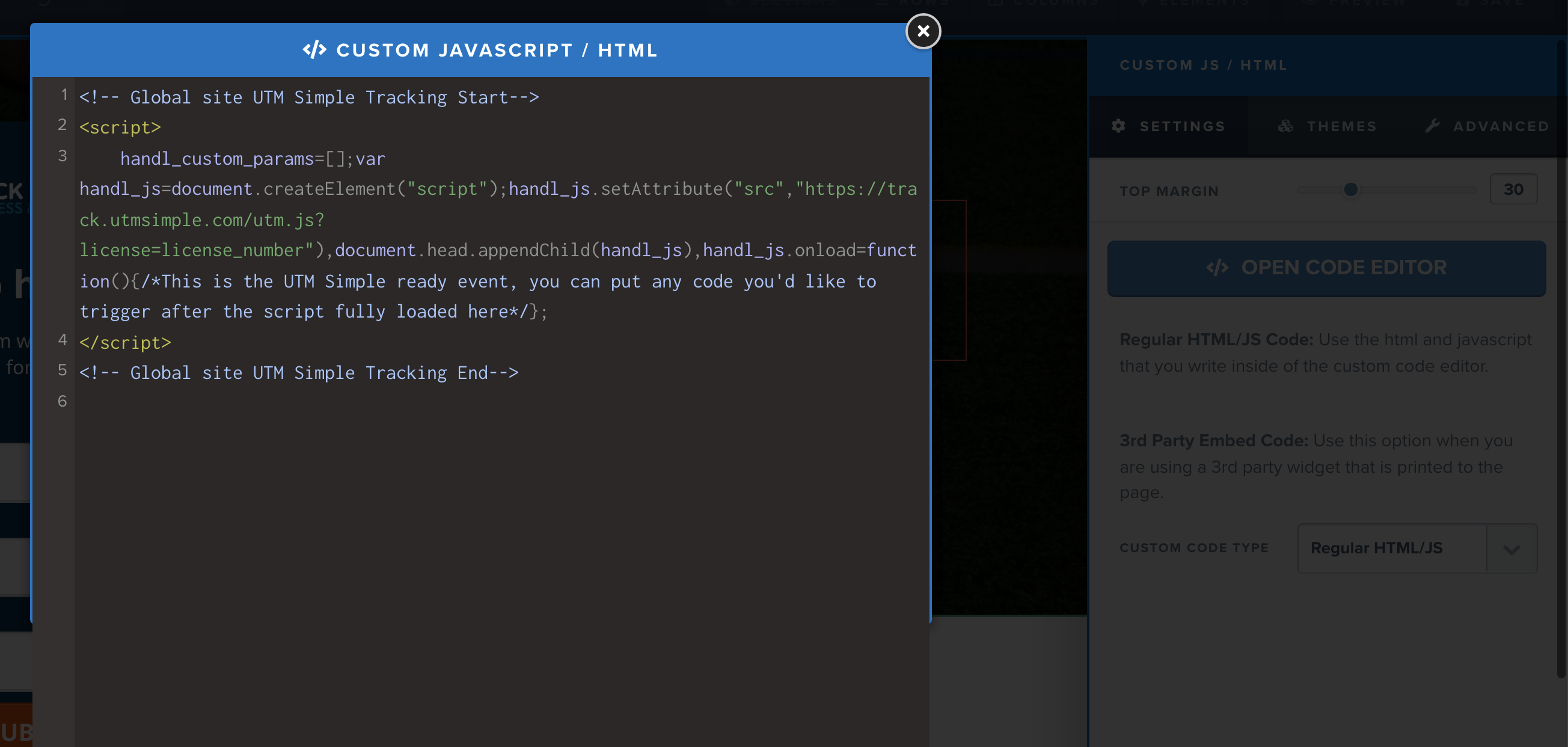
#### You are done! Test your form and you will get UTMs in your Contact Profile

[![](https://docs.utmsimple.com/uploads/images/gallery/2021-12/scaled-1680-/image-1639264844321.png)](https://docs.utmsimple.com/uploads/images/gallery/2021-12/image-1639264844321.png)
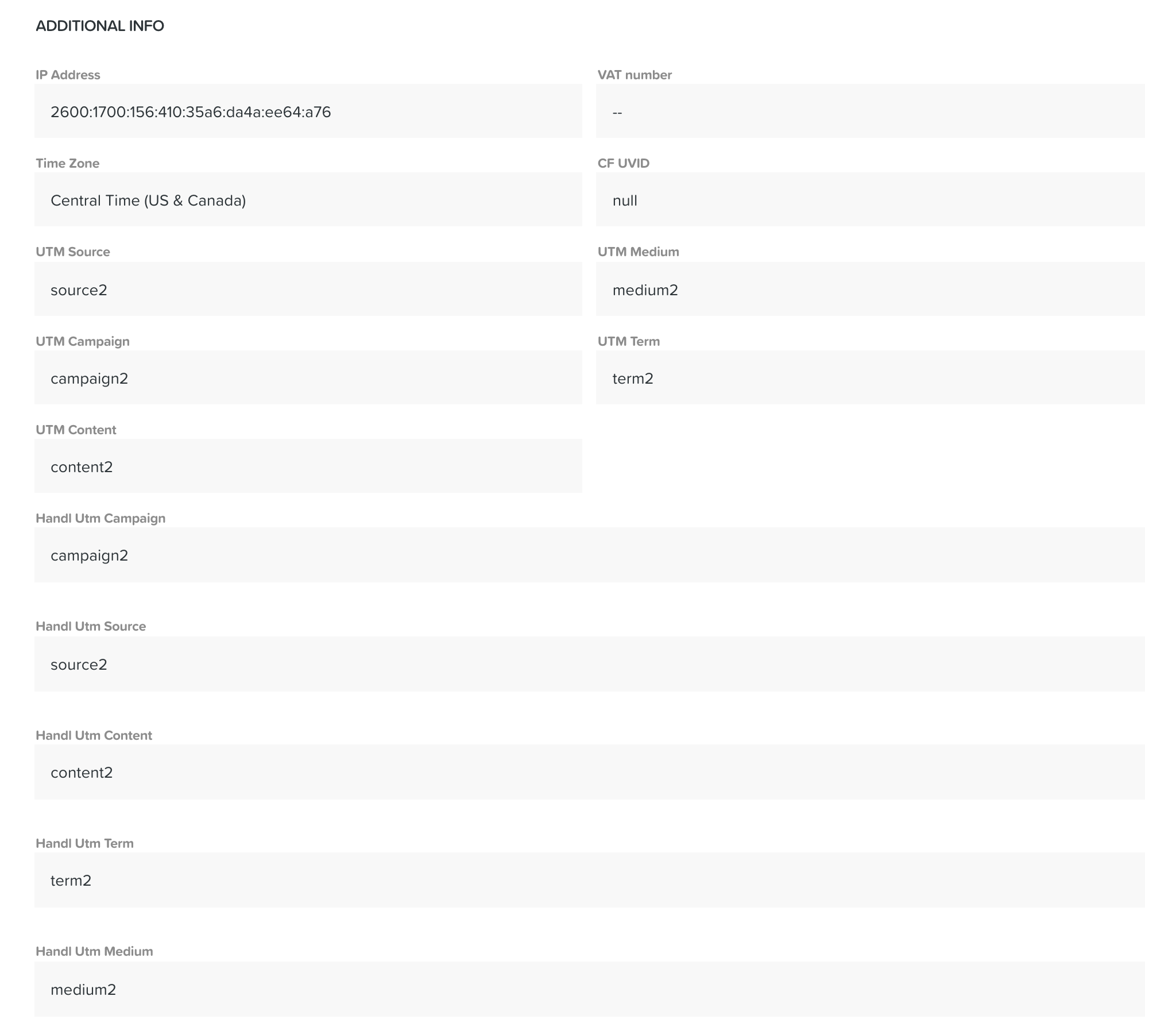
# UTM Tracking in Order 2 Step

As you know you can't add fields in Order 2 Step. But you can do this via adding some JavaScript code...

Add the following code on "Head Tracking Code"

[![](https://docs.utmsimple.com/uploads/images/gallery/2023-01/scaled-1680-/image-1674624720832.png)](https://docs.utmsimple.com/uploads/images/gallery/2023-01/image-1674624720832.png)
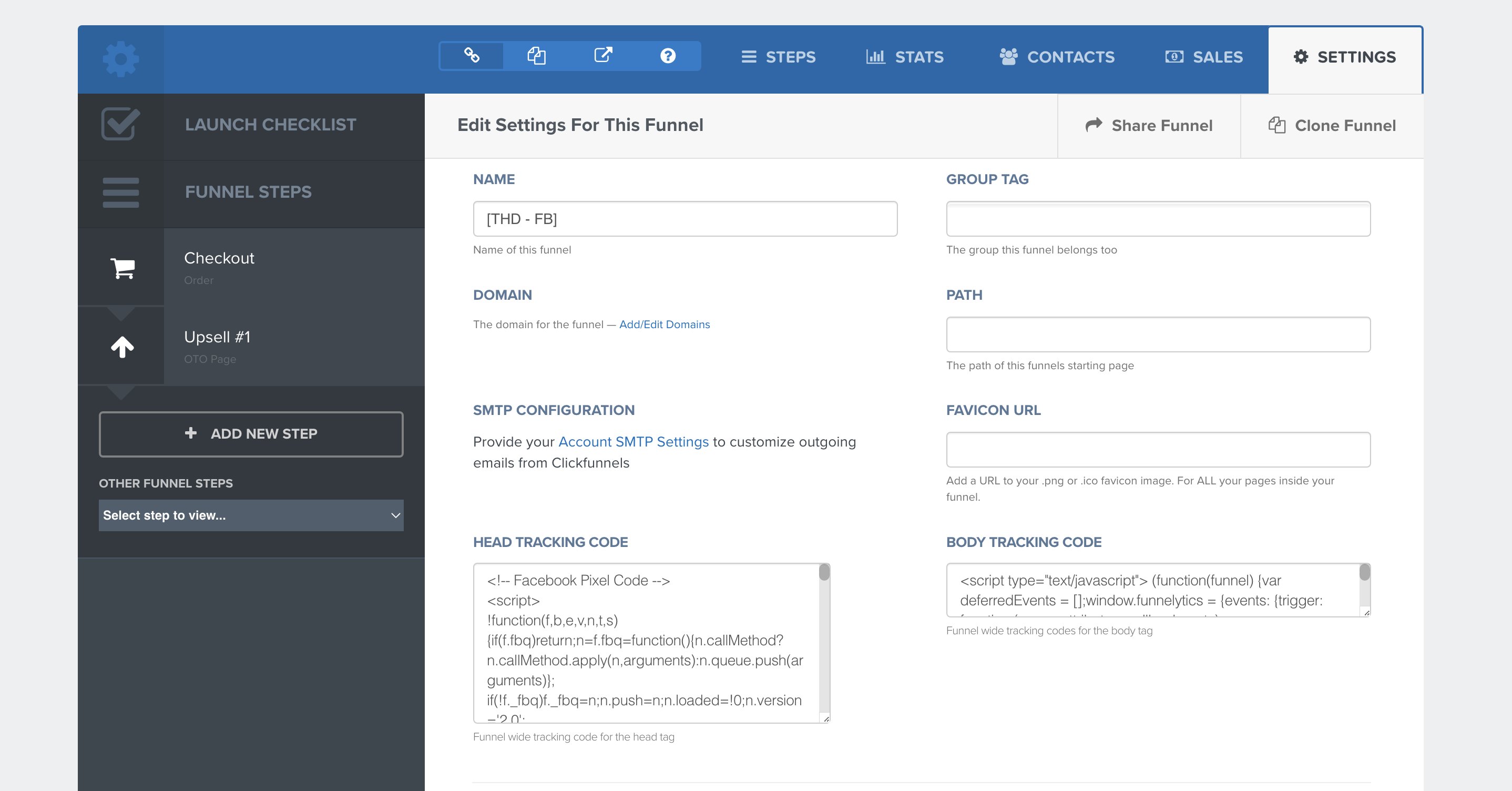
#### The code looks like below. DON'T forget to change &lt;YOUR\_LICENCE\_KEY&gt; with your license key.

```
<!-- Global site UTM Simple Tracking Start-->
<script>
handl_custom_params=['_fbc','_fbp'];var handl_js=document.createElement("script");handl_js.setAttribute("src","https://track.utmsimple.com/utm.js?license=<YOUR_LICENCE_KEY>"),document.head.appendChild(handl_js),
handl_js.onload=function(){
setTimeout(
	function(){
		all = HandL.getAll()
		Object.keys(all).forEach( (x) => {
			if ( all[x] ){
            	if ($('.o2step_step1').length > 0){
					$('.o2step_step1').prepend(`<input type="hidden" data-custom-type="handl_${x}" class="elInput" name="custom_type" value="${all[x]}" />`)
                }
			}
		})
	}, 1000
)
};
</script>
<!-- Global site UTM Simple Tracking End-->


```

### BONUS: Trigger Zapier when checkout initiated...

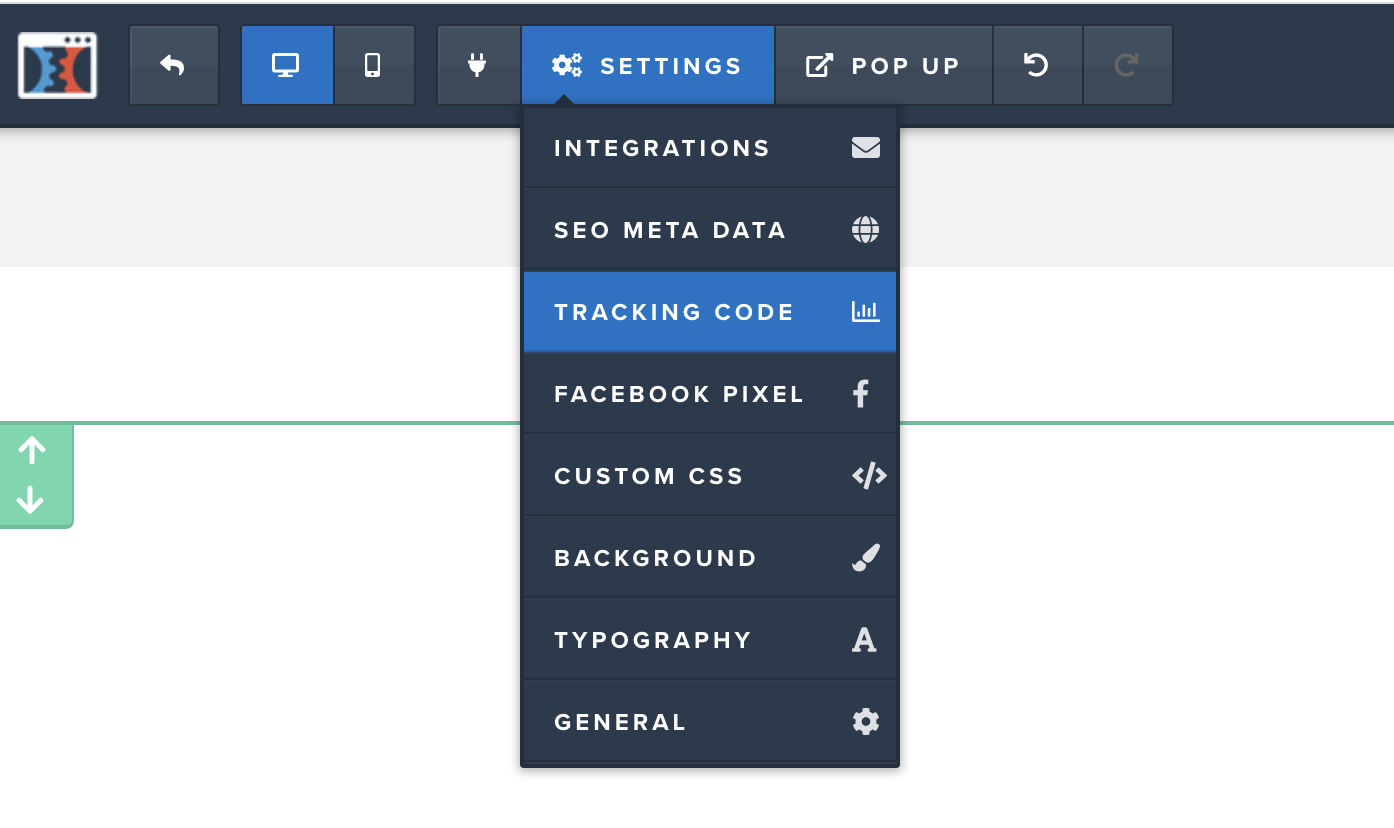
Add the following code under Settings &gt; Tracking Code (Footer Section)

[![](https://docs.utmsimple.com/uploads/images/gallery/2023-01/scaled-1680-/image-1674624598223.png)](https://docs.utmsimple.com/uploads/images/gallery/2023-01/image-1674624598223.png)

[![](https://docs.utmsimple.com/uploads/images/gallery/2023-01/scaled-1680-/image-1674624568496.png)](https://docs.utmsimple.com/uploads/images/gallery/2023-01/image-1674624568496.png)
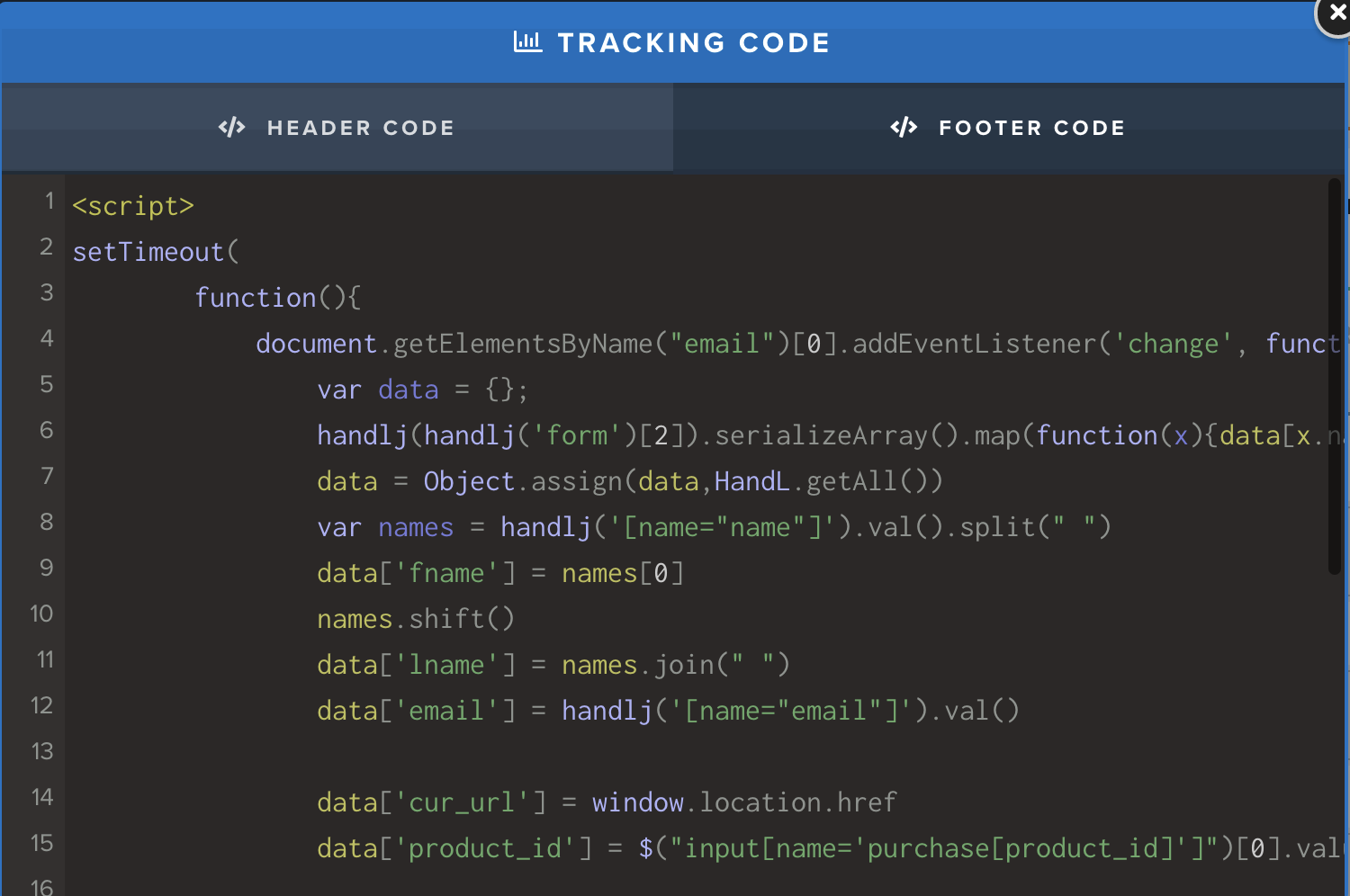
```
<script>
setTimeout(
		function(){
			document.getElementsByName("email")[0].addEventListener('change', function(evt) {
				var data = {};
				handlj(handlj('form')[2]).serializeArray().map(function(x){data[x.name] = x.value;}); 
				data = Object.assign(data,HandL.getAll())				
				var names = handlj('[name="name"]').val().split(" ")
				data['fname'] = names[0]
				names.shift()
				data['lname'] = names.join(" ")
				data['email'] = handlj('[name="email"]').val()
	
				data['cur_url'] = window.location.href
				data['product_id'] = $("input[name='purchase[product_id]']")[0].value

				console.log(data)
				var json = JSON.stringify(data);
				var xhr = new XMLHttpRequest();

				data = new URLSearchParams(data).toString()
				var xmlHttp = new XMLHttpRequest();
				xmlHttp.open("GET", 'https://hooks.zapier.com/hooks/catch/xxxxxxxx/yyyyyy/?' + data, true);
				xmlHttp.send(null);
			});

		}, 500
)
</script>

```

# Append UTMs to the CTA (Button)

You can add to Tracking Code section in the page...

[![](https://docs.utmsimple.com/uploads/images/gallery/2023-05/scaled-1680-/image-1684259777411.png)](https://docs.utmsimple.com/uploads/images/gallery/2023-05/image-1684259777411.png)
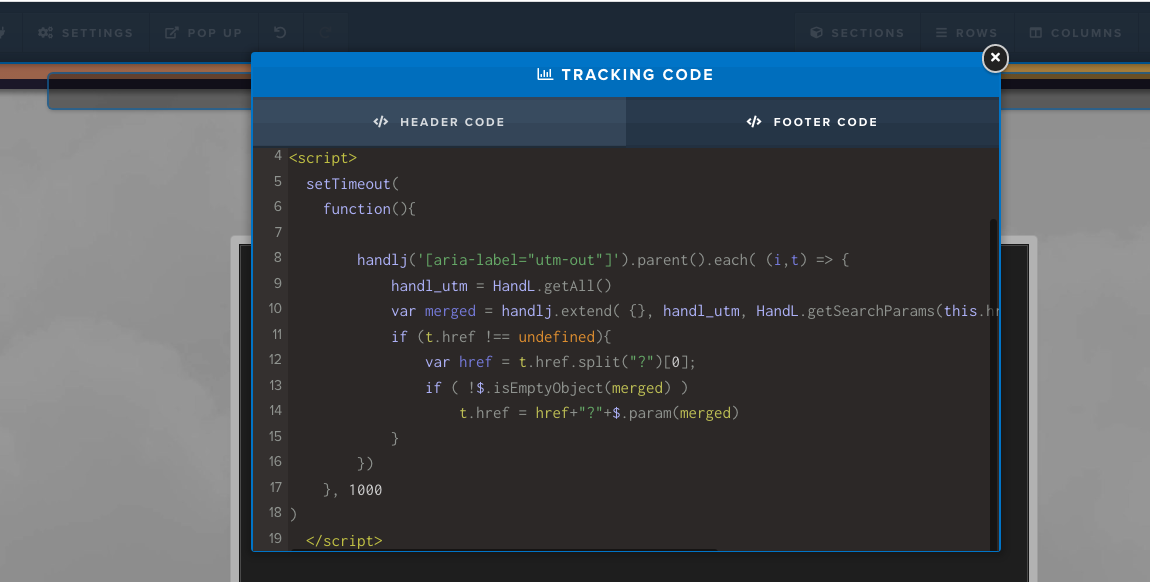
```
setTimeout(
	function(){

		handlj('[aria-label="utm-out"]').parent().each( (i,t) => {
			handl_utm = HandL.getAll()
			var merged = handlj.extend( {}, handl_utm, HandL.getSearchParams(this.href) )
			if (t.href !== undefined){
				var href = t.href.split("?")[0];
				if ( !$.isEmptyObject(merged) )
					t.href = href+"?"+$.param(merged)
			}
		})
	}, 1000
)

```