# WebinarJam

UTM Simple  
How to collect and track UTM variables via WebinarJam

# Track UTMs in WebinarJam and sync it to Zapier

WebinarJam tracking is tricky. And requires a substantial amount of custom coding. But no worries, if you can follow each step carefully, you will be set up for tracking in no time.

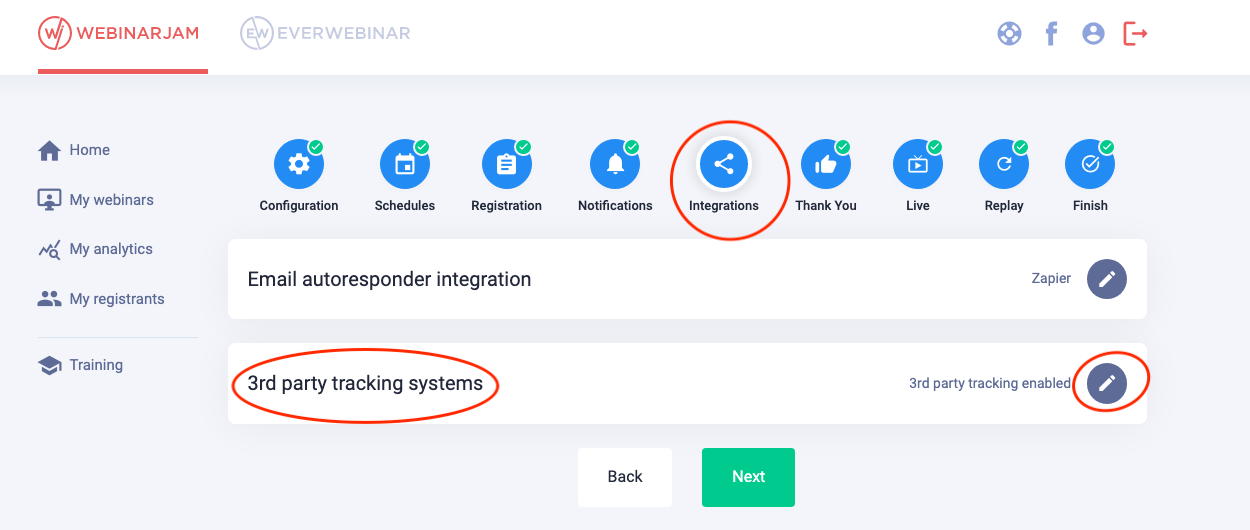
#### Go to webinarjam and select the webinar you'd like to track

Click "integration" and edit "3rd party tracking systems"

[![](https://docs.utmsimple.com/uploads/images/gallery/2021-12/scaled-1680-/image-1639371662958.png)](https://docs.utmsimple.com/uploads/images/gallery/2021-12/image-1639371662958.png)
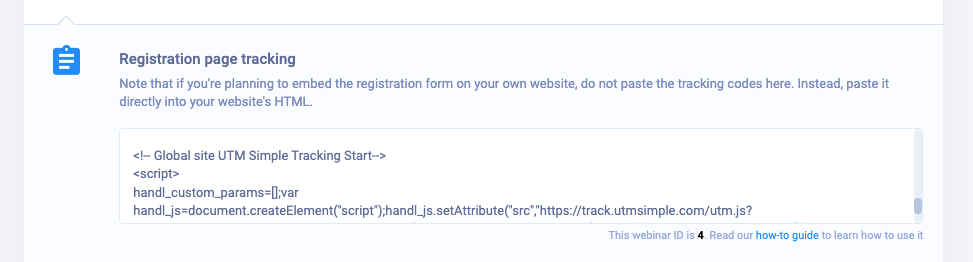
#### Place the plain UTM Simple tracking code under "Registration page tracking"

Note that `handl_custom_params` has three custom paramters `'wj_name','wj_email','wj_phone'`, we'll be using these later on for recording the conversion.

```
<!-- Global site UTM Simple Tracking Start-->
<script>
var handl_custom_params=['wj_name','wj_email','wj_phone']
var handl_js = document.createElement("script");
handl_js.setAttribute("src", "https://track.utmsimple.com/utm.js?license=<license_key>"), document.head.appendChild(handl_js), 
handl_js.onload = function() {
	
}; 
</script> 
<!--Global site UTM Simple Tracking End -->

```

[![](https://docs.utmsimple.com/uploads/images/gallery/2021-12/scaled-1680-/image-1639371901024.png)](https://docs.utmsimple.com/uploads/images/gallery/2021-12/image-1639371901024.png)

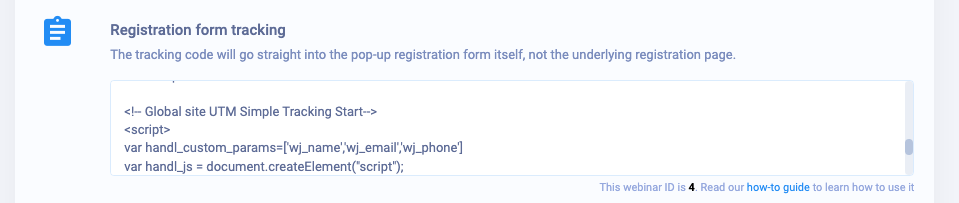
#### Place the following code under "Registration form tracking"

This will register the lead information in cookies for future use as soon as the lead submits the form.

```
<!-- Global site UTM Simple Tracking Start-->
<script>
var handl_custom_params=['wj_name','wj_email','wj_phone']
var handl_js = document.createElement("script");
handl_js.setAttribute("src", "https://track.utmsimple.com/utm.js?license=<license_key>"), document.head.appendChild(handl_js), 
handl_js.onload = function() {
	handlj('#register_btn').click(function(){
		HandL.setHandLCookie('wj_name',handlj(handlj('input')[0]).val())
		HandL.setHandLCookie('wj_email',handlj('input[name="email"]').val())
		HandL.setHandLCookie('wj_phone',handlj('input[name="telephone"]').val())
	})
}; 
</script> 
<!--Global site UTM Simple Tracking End -->

```

[![](https://docs.utmsimple.com/uploads/images/gallery/2021-12/scaled-1680-/image-1639371920722.png)](https://docs.utmsimple.com/uploads/images/gallery/2021-12/image-1639371920722.png)

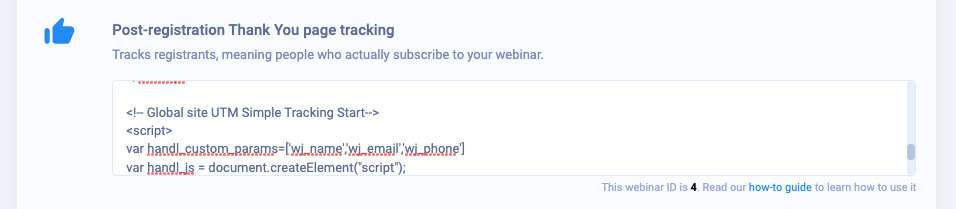
#### Place the following code under "Post-registration Thank You page tracking"

This will submit the lead information to Zapier as soon as user lands on the thank you page.

```
<!-- Global site UTM Simple Tracking Start-->
<script>
var handl_custom_params=['wj_name','wj_email','wj_phone']
var handl_js = document.createElement("script");
handl_js.setAttribute("src", "https://track.utmsimple.com/utm.js?license=<license_key>"), document.head.appendChild(handl_js), 
handl_js.onload = function() {
	setTimeout(function(){
		var data = handlj.param(HandL.getAll())
		var xmlHttp = new XMLHttpRequest();
		xmlHttp.open( "GET", 'https://hooks.zapier.com/hooks/catch/4665641/76wc42/?'+data, false ); // false for synchronous request
		xmlHttp.send( null );
	}, 500);
}; 
</script> 
<!--Global site UTM Simple Tracking End -->

```

[![](https://docs.utmsimple.com/uploads/images/gallery/2021-12/scaled-1680-/image-1639371946714.png)](https://docs.utmsimple.com/uploads/images/gallery/2021-12/image-1639371946714.png)

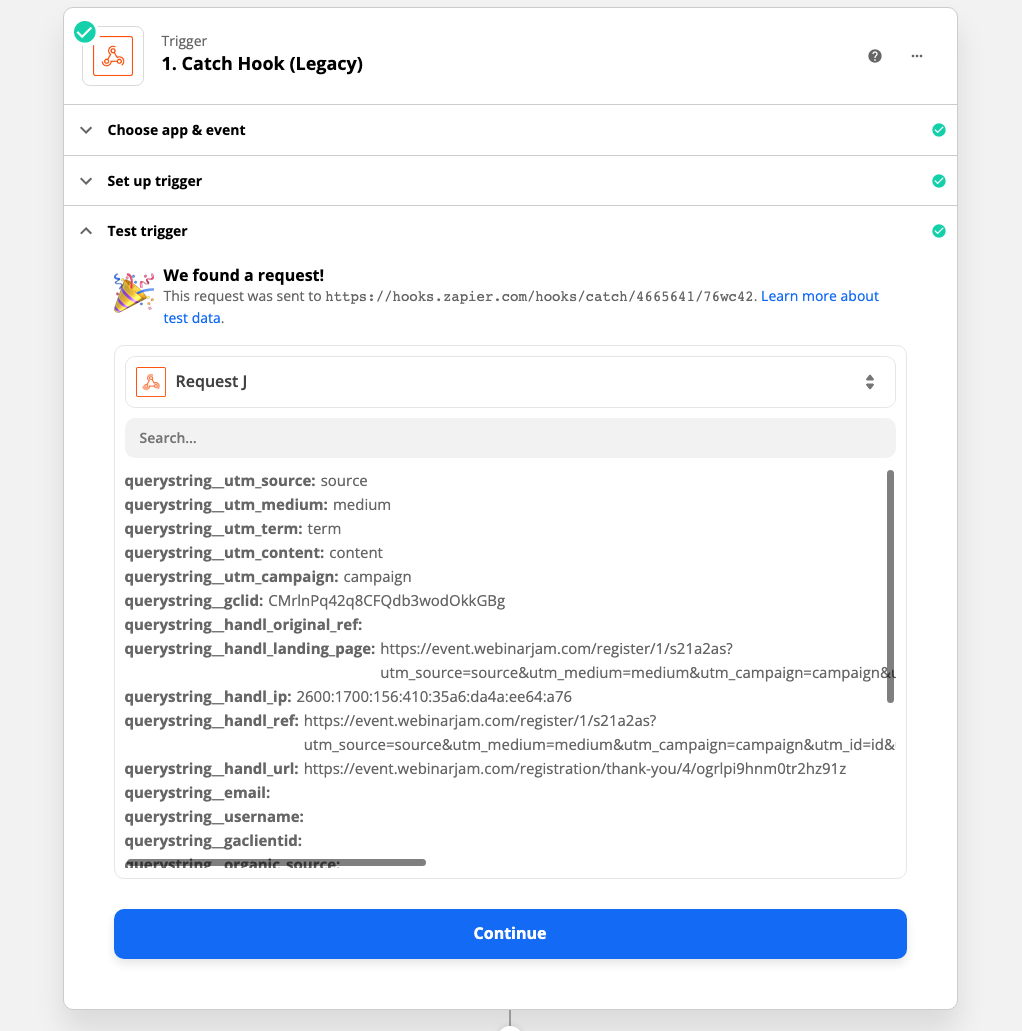
That's it, now test it and your lead will be in Zapier as shown below.

[![](https://docs.utmsimple.com/uploads/images/gallery/2021-12/scaled-1680-/image-1639372144481.png)](https://docs.utmsimple.com/uploads/images/gallery/2021-12/image-1639372144481.png)
# Track UTMs in EverWebinar and Zapier

Add the following code on thenk you page!

```
<!-- Global site UTM Simple Tracking Start-->
<script>
var handl_custom_params=['wj_lead_email','wj_lead_first_name','wj_lead_last_name','wj_lead_phone_number','wj_lead_unique_link_live_room','wj_next_event_date','wj_next_event_time'];
var handl_js = document.createElement("script");
handl_js.setAttribute("src", "https://track.utmsimple.com/utm.js?license=<license key>"), document.head.appendChild(handl_js),
handl_js.onload = function() {
setTimeout(function(){
var cal_vars = {};
var parts = wj.reminders.googleCalendarUrl.replace(/[?&]+([^=&]+)=([^&]*)/gi, function(m,key,value) {
	cal_vars[key] = value;
});
dates_arr = cal_vars.dates.split('/')
cal_vars.date_start = dates_arr[0]
cal_vars.date_end = dates_arr[1]
var data = handlj.param(Object.assign({}, HandL.getAll(), wj.reminders.personalInfo, {postUrl: wj.reminders.postUrl, iCalUrl:wj.reminders.iCalUrl , googleCalendarUrl:wj.reminders.googleCalendarUrl}, cal_vars))
var xmlHttp = new XMLHttpRequest();
xmlHttp.open( "GET", 'https://hooks.zapier.com/hooks/catch/xxxx/11111/?'+data, false ); // false for synchronous request
xmlHttp.send( null );
}, 500);
};
</script>
<!--Global site UTM Simple Tracking End -->

```