# Wix

# UTM tracking and attribution in Wix Form

### Create Hidden Fields in your WIX Form

Make sure the Field Title matches to our naming convention here [What can I track with UTMSimple?](https://docs.utmsimple.com/books/101-lets-start/page/what-can-i-track-with-utmsimple)

[![](https://docs.utmsimple.com/uploads/images/gallery/2023-08/scaled-1680-/image-1691645537573.png)](https://docs.utmsimple.com/uploads/images/gallery/2023-08/image-1691645537573.png)
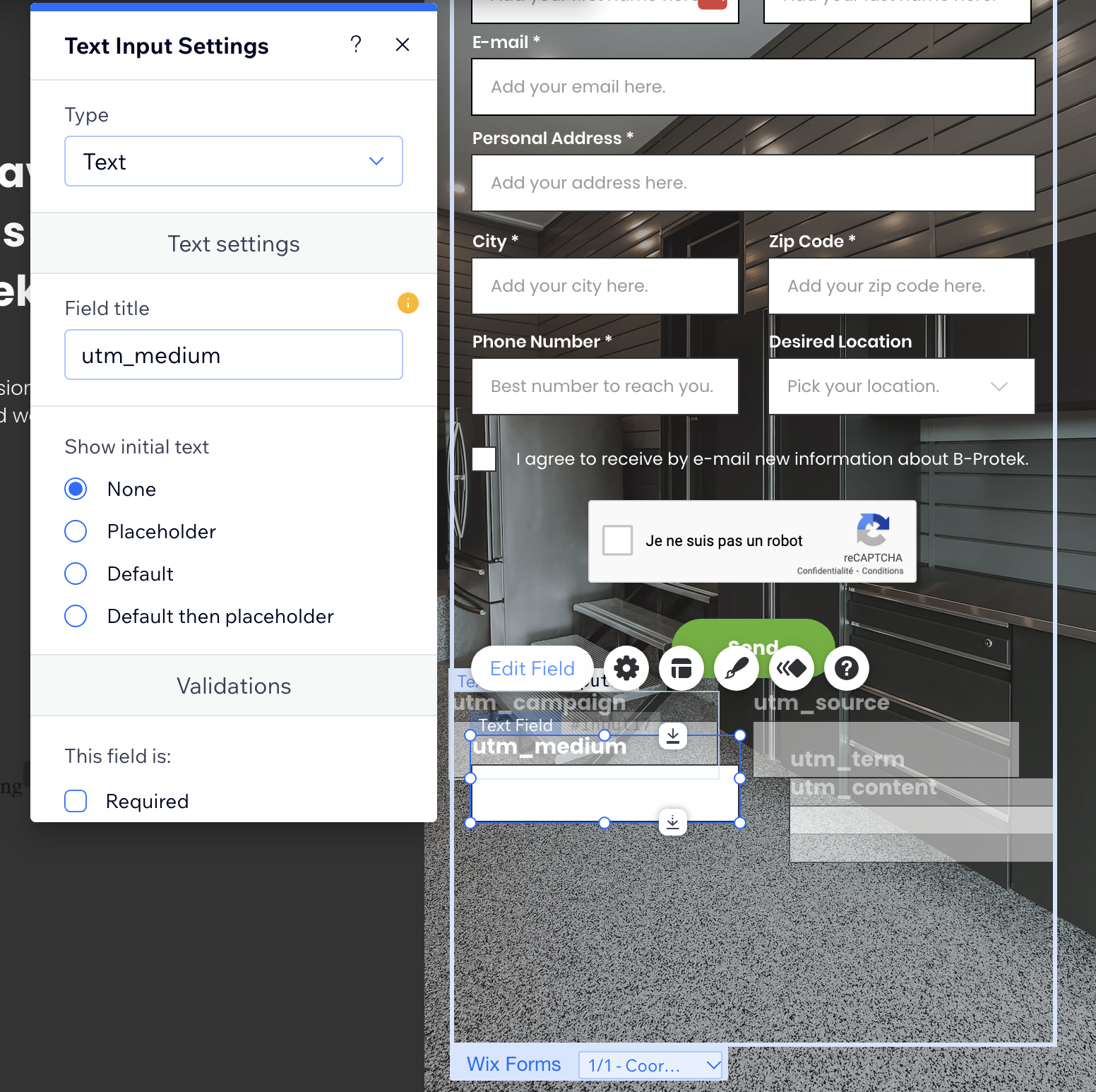
By default, these fields are not hidden, let's make them hidden

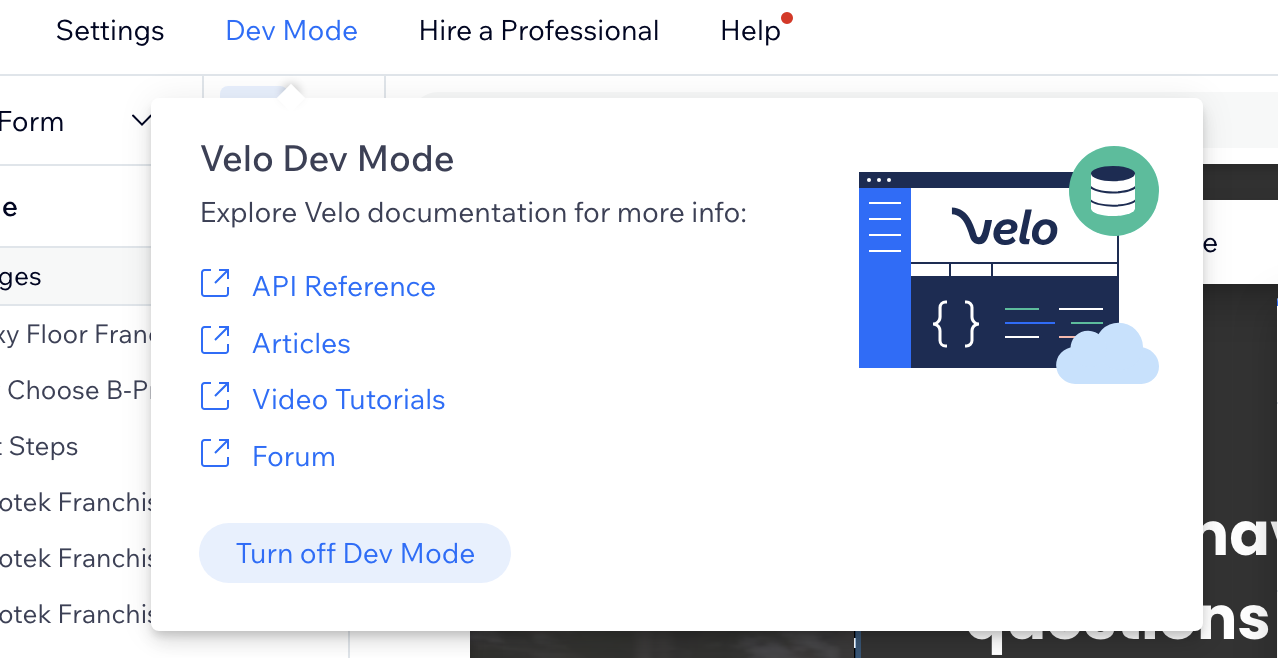
Go and Enable Dev mode

[![](https://docs.utmsimple.com/uploads/images/gallery/2023-08/scaled-1680-/image-1691645584527.png)](https://docs.utmsimple.com/uploads/images/gallery/2023-08/image-1691645584527.png)
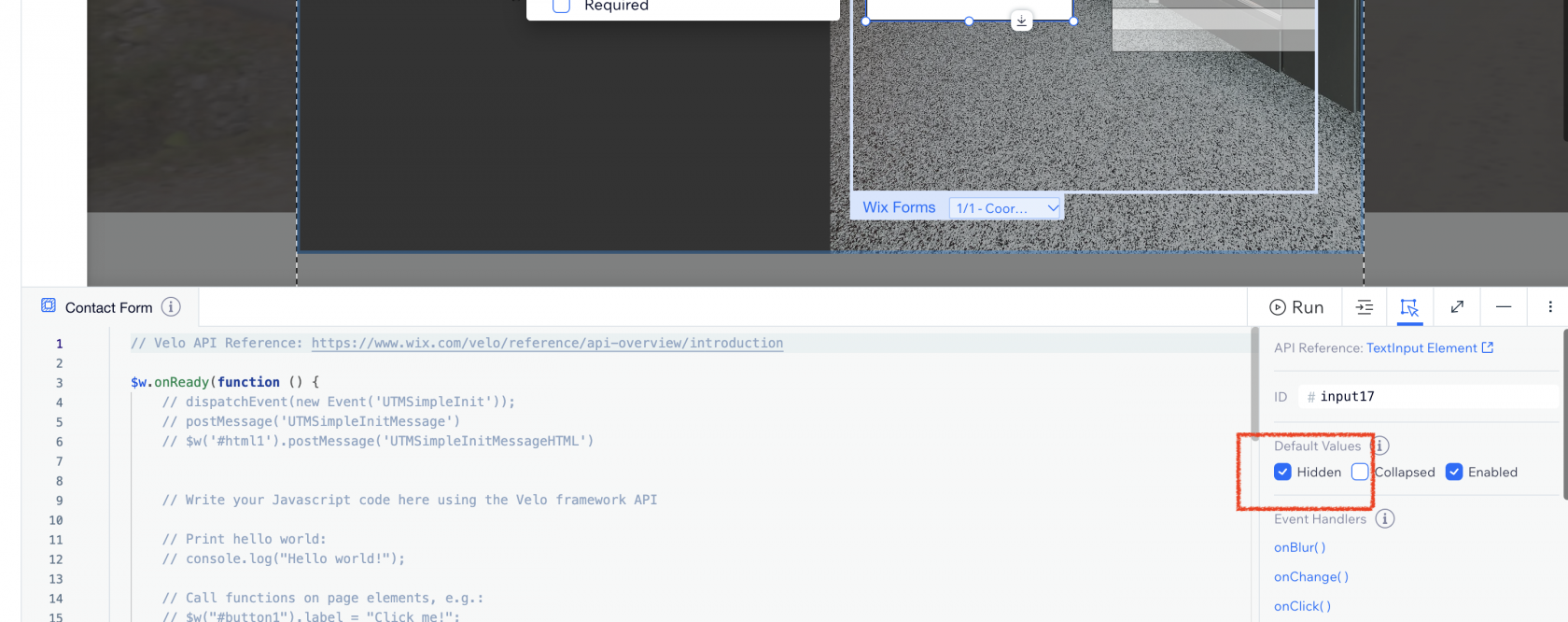
Select each field and go to Dev Mode and select "Hidden"

[![](https://docs.utmsimple.com/uploads/images/gallery/2023-08/scaled-1680-/image-1691645639507.png)](https://docs.utmsimple.com/uploads/images/gallery/2023-08/image-1691645639507.png)
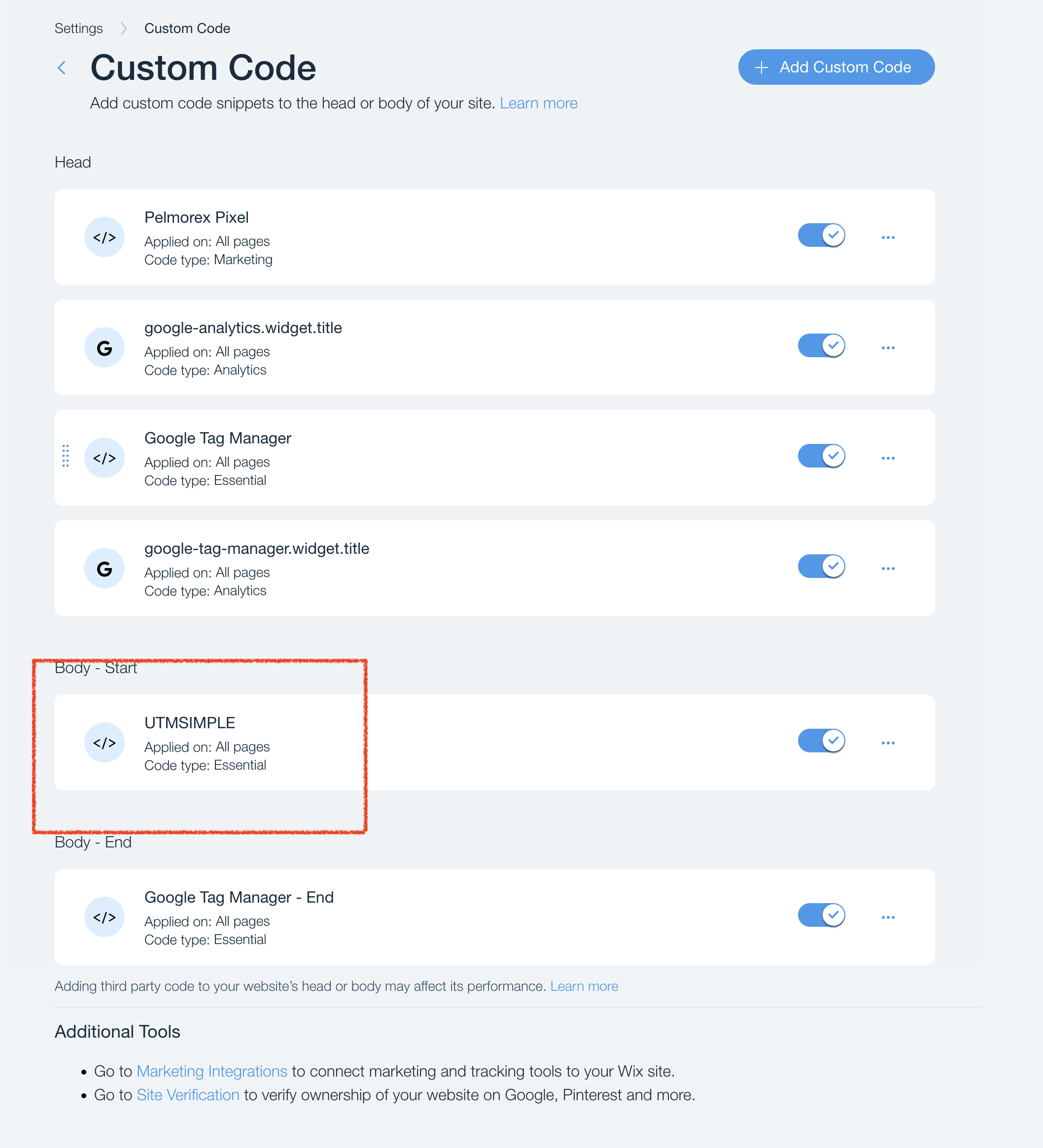
### Add the following code in Wix &gt; Settings &gt; Custom Code section

```
<script>
handl_custom_params=[];var handl_js=document.createElement("script");handl_js.setAttribute("src","https://track.utmsimple.com/utm.js?license=<license key>"),document.head.appendChild(handl_js),handl_js.onload=function(){

handlj('body').on('DOMNodeInserted', '#main_MF', function(e) {
  if (handlj(e.target).attr('id') === 'POPUPS_ROOT') {
    setTimeout(
		function(){
    		all = HandL.getAll()
        Object.keys(all).forEach((x) => {
            if (all[x]) {
                if (handlj('[name="'+x+'"]').length > 0) {

const element = document.querySelector('input[name="'+x+'"]')
const event = new Event('input', { bubbles: true })
const previousValue = element.value

element.value = all[x]
element._valueTracker.setValue(previousValue)
element.dispatchEvent(event)

                }
            }
        })
    		}, 2000)
  }
});

};
</script>

```

[![](https://docs.utmsimple.com/uploads/images/gallery/2023-08/scaled-1680-/image-1691645448532.png)](https://docs.utmsimple.com/uploads/images/gallery/2023-08/image-1691645448532.png)

### Testing

Test the form and you will see all the UTMs listed in the Form Submission section

[![](https://docs.utmsimple.com/uploads/images/gallery/2023-08/scaled-1680-/image-1691645699910.png)](https://docs.utmsimple.com/uploads/images/gallery/2023-08/image-1691645699910.png)

# Track UTMs in Calendly on Wix

On your book a call page...

Add the following script

```
import wixWindowFrontend from 'wix-window-frontend';
$w.onReady(function () {
	$w("#handlCalendly").customClassList.add("calendly-inline-widget")
	wixWindowFrontend.postMessage('HandLCalendly');
});

```

[![](https://docs.utmsimple.com/uploads/images/gallery/2023-12/scaled-1680-/image-1701734780928.png)](https://docs.utmsimple.com/uploads/images/gallery/2023-12/image-1701734780928.png)
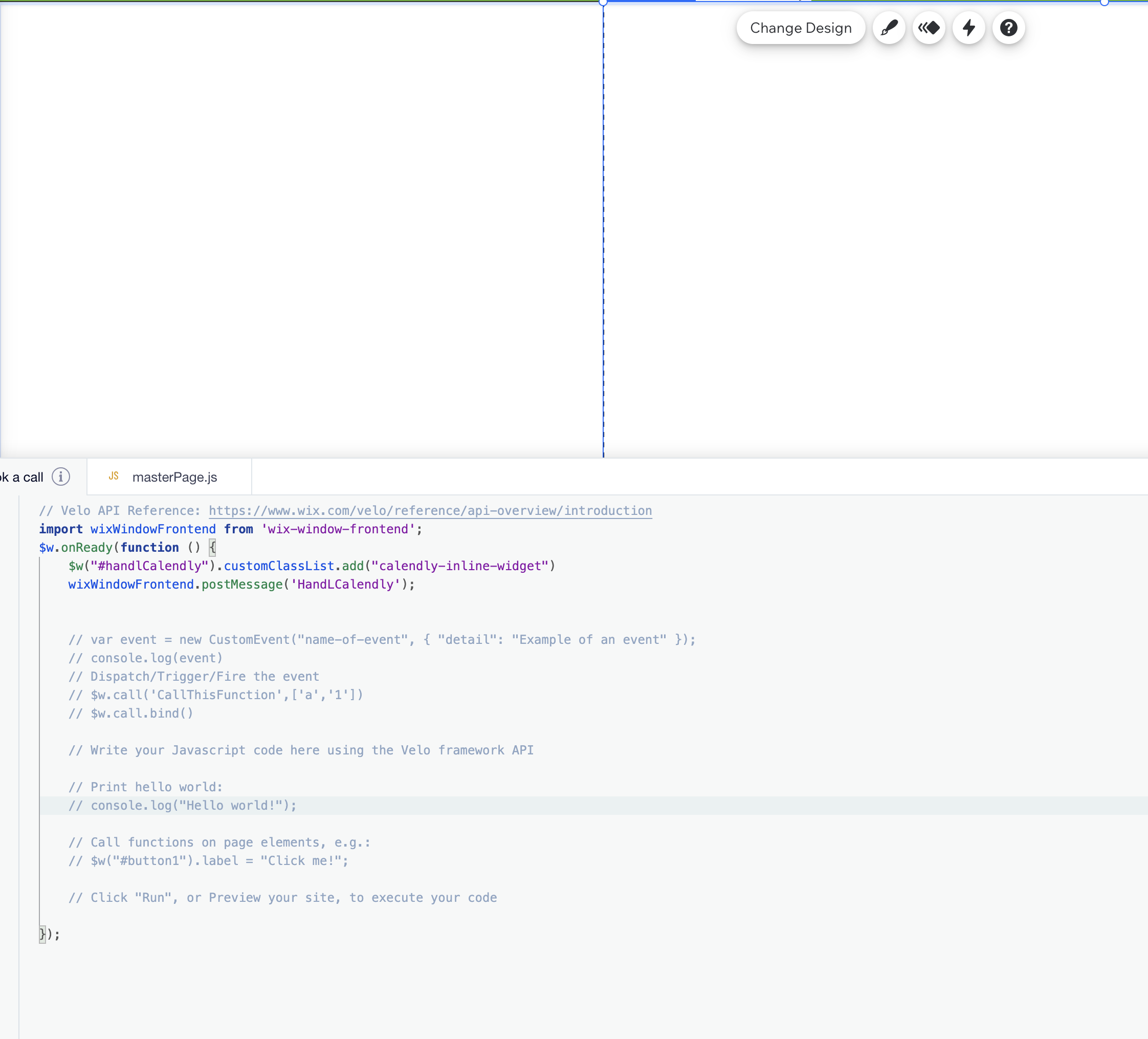
After that in your Custom Code section in Wix, add the following. Don't forget to swap the `<license_key>` with your own license key.

```
<script type="text/javascript" src="https://assets.calendly.com/assets/external/widget.js"></script>
<script>
window.onmessage = function(event) {
  if (event.data == 'HandLCalendly'){
  	setTimeout(function(){if (handlj('.wixui-calendly-inline-widget').length > 0) { handlj('.wixui-calendly-inline-widget').next()[0].style="min-width:320px;height:580px;position:relative";Calendly.initInlineWidget({url:"https://calendly.com/franchise-b-protek/15-20-minutes-call-clone",parentElement:handlj('.wixui-calendly-inline-widget').next()[0],utm:{utmCampaign:"object"==typeof HandL&&HandL.getAll().utm_campaign||"",utmSource:"object"==typeof HandL&&HandL.getAll().utm_source||"",utmMedium:"object"==typeof HandL&&HandL.getAll().utm_medium||"",utmContent:"object"==typeof HandL&&HandL.getAll().utm_content||"",utmTerm:"object"==typeof HandL&&HandL.getAll().utm_term||""}});}},500);
  }
};

handl_custom_params=[];var handl_js=document.createElement("script");handl_js.setAttribute("src","https://track.utmsimple.com/utm.js?license=<license_key>"),document.head.appendChild(handl_js),handl_js.onload=function(){};
</script>

```

That's it